公共组件
公共组件
电脑端公共组件统一写在/jsbos-web/src/components目录下
手机端公共组件统一写在/jsbos-app/src/components目录下
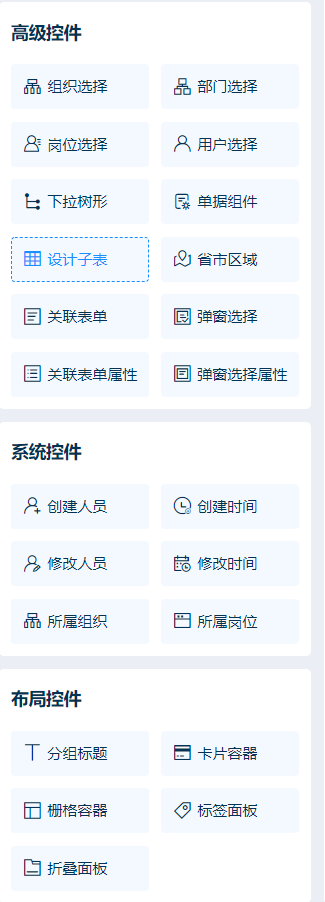
此处举例几个常用组件剩余组件样式可在代码生成页面选择查看效果(手机端组件同理)
图片上传
-
UploadImg
-
使用示例
<template>
  <UploadImg
    modular="ai_user"
    type="document"
    v-model="dataForm.files"
    :disabled="true"
    :detailed="true"
    :fileSize="5"
    sizeUnit="MB"
    :limit="3">
  </UploadImg>
</template>

<script>
  export default {
    data() {
      return {
        dataForm: {
          files: ""
        }
      }
    }
  }
</script>
- 配置项
| 参数 | 说明 | 类型 | 默认值 | 可选值 |
|---|---|---|---|---|
| type | 文件类型\文件保存路径 | String | annexpic | license\useravatar\mail\im\weixin\workflow\annex\annexpic\dataBackup\document\temporary\allowuploadfiletype\preview\templatefile\servicedirectory\webdirectory\codetemp\bivisualpath\export |
| disabled | 是否禁用 | Boolean | false | false/true |
| detailed | 是否detailed | Boolean | false | false/true |
| showTip | 是否显示 提示说明文字 | Boolean | false | false/true |
| limit | 最大允许上传个数 | Number | 0 | - |
| accept | 接受上传的文件类型 | String | image/* | - |
| sizeUnit | 单位 | String | MB | - |
| fileSize | 文件大小 | - | 5 | - |
树选择器
-
TreeSelect
-
使用示例
<template>
  <TreeSelect
    :disabled="false"
    v-model="dataForm.transportTypeId"
    placeholder="请选择"
    clearable
    :options="treeData"
    :props="parentIdProps"
    @change="setTitle"
  >
  </TreeSelect>
</template>

<script>
  export default {
    data() {
      return {
        dataForm: {
          transportTypeId: ""
        },
        treeData: [],
        parentIdProps: {
          children: "children",
          label: "name",
          value: "id"
        },
      }
    },
    methods: {
      setTitle() {

      },
    },
  }
</script>
- 配置项
| 参数 | 说明 | 类型 | 默认值 | 可选值 |
|---|---|---|---|---|
| props | 配置项 | Object | yaml { value: "id", // ID字段名 label: "fullName", // 显示名称 children: "children", // 子级字段名 } | |
| disabled | 是否禁用 | Boolean | false | false/true |
| options | 选项列表数据(树形结构的对象数组) | Array | [] | - |
| placeholder | 提示说明文字 | String | 请选择 | - |
| value | 初始值 | [String, Array] | - | - |
| clearable | 可清空选项 | Boolean | false | - |
| filterable | 能否搜索 | Boolean | false | - |
| lastLevel | 只能选择最后一层的数值 | Boolean | false | - |
| lastLevelKey | 只能选择最后一层的数值时,需要根据 lastLevelKey来判断是否最后一层 | String | hasChildren | - |
| firstLevelValue | - | - | false | - |
| accordion | 自动收起 | Boolean | false | - |
| defaultExpandAll | - | Boolean | true | - |
| multiple | 是否多选,默认单选 | Boolean | false | - |
| collapseTags | 是否折叠隐藏选中数据 | Boolean | false | - |
人员选择器
-
userSelect
-
使用示例
<template>
  <UserSelect
    v-model="dataForm.value"
    :disabled="false"
    @change="onConditionObjChange() "
    placeholder="请选择"
    clearable
    :multiple="false"
  />
</template>

<script>
  export default {
    data() {
      return {
        dataForm: {
          value: ""
        }
      }
    },
    methods: {
      onConditionObjChange() {

      },
    },
  }
</script>
- 配置项
| 参数 | 说明 | 类型 | 默认值 | 可选值 |
|---|---|---|---|---|
| value | 选中的数据 | String(单选), Array(多选) | "" | |
| props | 配置项 | Object | ||
| ifActiveName | 默认显示的分类 | String | all | all,department,subordinates |
| placeholder | 提示说明文字 | String | 请选择 | - |
| disabled | 是否禁用 | Boolean | false | false/true |
| multiple | 是否多选 | Boolean | false | - |
| clearable | 可清空选项 | Boolean | false | - |
| collapseTags | 默认展开和折叠 | Boolean | false | - |
组织选择组件
自定义公共组件
-
ComSelect
-
使用示例
<template>
  <ComSelect
    :value="dataForm.data"
    placeholder="请选择"
    clearable
    :multiple="true">
  </ComSelect>
</template>

<script>
  export default {
    data() {
      return {
        dataForm: {
          data: ""
        }
      }
    }
  }
</script>
- 配置项
| 参数 | 说明 | 类型 | 默认值 | 可选值 |
|---|---|---|---|---|
| value | 数据绑定 | Array | [] | -- |
| placeholder | 提示说明文字 | String | 请选择 | -- |
| disabled | 是否禁用 | Boolean | false | -- |
| multiple | 是否支持多选 | Boolean | false | -- |
| collapseTags | 多选时是否将选中值按文字的形式展示 | Boolean | false | -- |
| clearable | 是否可以清空选项 | Boolean | false | -- |
部门选择组件
自定义公共组件
-
DepSelect
-
使用示例
<template>
  <DepSelect
    v-model="dataForm.organizeId"
    ref="depselect"
    placeholder="请选择"
    clearable
    @change="depChange()"
    :style="{ width: '100%' }"
  />
</template>

<script>
  export default {
    data() {
      return {
        dataForm: {
          organizeId: ""
        }
      }
    },
    methods: {
      depChange() {

      },
    },
  }
</script>
- 配置项
| 参数 | 说明 | 类型 | 默认值 | 可选值 |
|---|---|---|---|---|
| value | 数据绑定 | Array | [] | -- |
| lastLevel | 是否只能选择末尾节点 | Boolean | true | -- |
| clearable | 是否可以清空选项 | Boolean | true | -- |
分组选择组件
自定义公共组件
-
GroSelect
-
使用示例
<template>
  <GroSelect
    v-model="dataForm.groId"
    ref="groselect"
    placeholder="请选择"
    clearable
    @change="onConditionObjChange()"
    :style="{ width: '100%' }"
  />
</template>

<script>
  export default {
    data() {
      return {
        dataForm: {
          groId: ""
        }
      }
    },
    methods: {
      onConditionObjChange() {

      },
    },
  }
</script>
- 配置项
| 参数 | 说明 | 类型 | 默认值 | 可选值 |
|---|---|---|---|---|
| value | 数据绑定 | Array | [] | -- |
| disabled | 是否禁用 | Boolean | false | -- |
| placeholder | 提示说明文字 | String | 请选择 | -- |
| multiple | 是否支持多选 | Boolean | false | -- |
| clearable | 是否可清空选项 | Boolean | false | -- |
岗位选择组件
-
自定义公共组件
-
PosSelect
-
使用示例
<template>
  <PosSelect
    v-model="dataForm.posId"
    ref="posselect"
    placeholder="请选择"
    clearable
    @change="onConditionObjChange()"
    :style="{ width: '100%' }"
  />
</template>

<script>
  export default {
    data() {
      return {
        dataForm: {
          posId: ""
        }
      }
    },
    methods: {
      onConditionObjChange() {

      },
    },
  }
</script>
- 配置项
| 参数 | 说明 | 类型 | 默认值 | 可选值 |
|---|---|---|---|---|
| value | 数据绑定 | Array | [] | -- |
| disabled | 是否禁用 | Boolean | false | -- |
| placeholder | 提示说明文字 | String | 请选择 | -- |
| multiple | 是否支持多选 | Boolean | false | -- |
| clearable | 是否可清空选项 | Boolean | false | -- |
数据字典选择组件
-
自定义公共组件
-
DicSelect
-
使用示例
<template>
  <DicSelect
    v-model="dataForm.treeDictionary"
    placeholder="请选择数据字典"
  />
</template>

<script>
  export default {
    data() {
      return {
        dataForm: {
          treeDictionary: ""
        }
      }
    },
  }
</script>
- 配置项
| 参数 | 说明 | 类型 | 默认值 | 可选值 |
|---|---|---|---|---|
| value | 数据绑定 | Array | [] | -- |
| disabled | 是否禁用 | Boolean | false | -- |
| placeholder | 提示说明文字 | String | 请选择 | -- |
列表组件
- 自定义公共组件
- daily-list-items
| 参数 | 说明 | 类型 | 默认值 | 可选值 |
|---|---|---|---|---|
| title | 标题 | String | 默认标题 | -- |
| id | 点击后返回id,可通过filter方法筛选原数组获取当前数据 | [String, Number, Object] | '' | -- |
| titleRightColor | 右侧类型文字颜色 | String | '#af9d92' | -- |
| titleRightText | 右侧类型文字 | 及 | '未执行' | -- |
| ConcealColor | 右上角角标文字颜色 | String | '#af9d92' | -- |
| ConcealText | 右上角角标文字 | String | '未定义' | -- |
| tags | 标签 | Array | [] | -- |
| operateButton | 按钮类型及方法类型 | Array | [] | -- |
| datetime | 完成时间 | String | '2023-01-02 15:03' | -- |
| datetimeShow | 完成时间是否显示 | Boolean | true | -- |
| isConceal | 是否显示右侧状态 | Boolean | false | -- |
| ItemHeight | 高度 | String | '130' | -- |
上传图片裁剪功能
自定义公共组件
-
UploadCropImg
-
使用示例
<template>
  <UploadCropImg
    :autoCropWidth="200"
    :autoCropHeight="200"
    v-model="dataForm.loginIcon"
    tip="登录图标"
  />
</template>

<script>
  export default {
    data() {
      return {
        dataForm: {
          loginIcon: ""
        }
      }
    },
  }
</script>
- 配置项
| 参数 | 说明 | 类型 | 默认值 | 可选值 |
|---|---|---|---|---|
| value | 裁剪图片 | String | '' | -- |
| disabled | 上传禁用 | Boolean | false | false/true |
| limit | 最大上传数量 | Number | 1 | -- |
| autoCropWidth | 设置裁剪图片宽度 | Number | 300 | -- |
| autoCropHeight | 设置裁剪图片高度 | Number | 200 | -- |
| fixedBox | 设置裁剪截图框是否可以改变大小 | Boolean | false | false/true |
| tip | 裁剪弹窗标题 | String | 图片上传 | -- |
| isHead | 是否是上传头像 | Boolean | false | false/true |
用户过滤组件
自定义公共组件
-
FilterSelect
-
使用示例
<template>
  <filterSelect
    width="500px"
    v-model="list"
    @change="getChangeData"
  ></filterSelect>
</template>

<script>
  export default {
    data() {
      return {
        list: [],
      }
    },
    methods: {
      getChangeData() {

      },
    },
  }
</script>
- 配置项
| 参数 | 说明 | 类型 | 默认值 | 可选值 |
|---|---|---|---|---|
| value | 数据绑定 | Array | [] | -- |
| width | 设置过滤组件的宽度 | String | 500px | -- |
范围内的用户选择
自定义公共组件
-
RangeUser
-
使用示例
<template>
  <RangeUser
    @change="getUserIds"
    :value="value"
    :rangeList="list"
    :multiple="false"
  />
</template>

<script>
  export default {
    data() {
      return {
        value: '',
        list: [],
      }
    },
    methods: {
      getUserIds() {

      },
    },
  }
</script>
- 配置项
| 参数 | 说明 | 类型 | 默认值 | 可选值 |
|---|---|---|---|---|
| value | 数据绑定 | String | "" | -- |
| rangeList | 筛选范围列表 | Array | [] | -- |
| multiple | 是否开启多选 | Boolean | false | -- |
表格操作按钮组件
自定义公共组件
- tableOperation
| 参数 | 说明 | 类型 | 默认值 | 可选值 |
|---|---|---|---|---|
| delText | 删除按钮文本设置 | String | "删除" | -- |
| editText | 编辑按钮文本设置 | String | "编辑" | -- |
| hasEdit | 是否展示编辑按钮 | Boolean | true | -- |
| hasDel | 是否展示删除按钮 | Boolean | true | -- |
| editDisabled | 编辑按钮是否禁用 | Boolean | false | -- |
| delDisabled | 删除按钮是否禁用 | Boolean | false | -- |
| isJudgePer | 是否开启权限判断 | Boolean | false | -- |
| editPerCode | 编辑权限标识 | String | "btn_edit" | -- |
| delPerCode | 删除权限标识 | String | "btn_remove" | -- |
| 方法 | 说明 | 参数 |
|---|---|---|
| edit | 编辑按钮调用方法 | -- |
| del | 删除按钮调用方法 | -- |
| 插槽 | 说明 |
|---|---|
| left | 左侧插入 |
| right | 右侧插入 |
| center | 中间插入 |
表格分页组件
自定义公共组件
-
Pagination
-
使用示例
<template>
  <pagination
    :total="total"
    :page.sync="listQuery.currentPage"
    :limit.sync="listQuery.pageSize"
    @pagination="initData"
  />
</template>

<script>
  export default {
    data() {
      return {
        total: 24,
        listQuery: {
          currentPage: 1,
          pageSize: 20
        },
      }
    },
    methods: {
      initData() {

      },
    },
  }
</script>
- 配置项
| 参数 | 说明 | 类型 | 默认值 | 可选值 |
|---|---|---|---|---|
| total | 数据总数量 | Number | 0 | -- |
| limit | 每页条数 | Number | 20 | -- |
| pageSizes | 设置每页多少条 | Array | [20, 50, 100, 500] | -- |
| layout | 分页工具操作项 | String | "total, sizes, prev, pager, next, jumper" | -- |
| autoScroll | 页码改变后页面滚动展示的位置 | Boolean | true | -- |
| hidden | 是否隐藏滚动条 | Boolean | false | -- |
用户选择组件
自定义公共组件
-
UserSelect
-
使用示例
<template>
  <userSelect
    v-model="listQuery.pickupUser"
    placeholder="请选择"
  />
</template>

<script>
  export default {
    data() {
      return {
        listQuery: {
          pickupUser: null,
        },
      }
    },
  }
</script>
- 配置项
| 参数 | 说明 | 类型 | 默认值 | 可选值 |
|---|---|---|---|---|
| value | 数据绑定 | String | "" | -- |
| ifActiveName | 打开弹窗默认展示项设置 | String | "department" | -- |
| placeholder | 输入框提示文字 | String | "请选择" | -- |
| disabled | 是否禁用 | Boolean | false | -- |
| multiple | 是否开启多选 | Boolean | false | -- |
| clearable | 是否显示清楚所以图标 | Boolean | true | -- |
| 方法 | 说明 | 参数 |
|---|---|---|
| change | 数据改变获取选中数据 | 参数1:id集合,参数2:数据集合 |
树形下拉框组件
自定义公共组件
-
TreeSelect
-
使用示例
<template>
  <TreeSelect
    v-model="dataForm.workOrderTypeId"
    :options="treeData"
    placeholder="选择工单类型"
    :props="defaultProps"
    @change="setTitle"
    :firstLevel="true"
    firstLevelKey="id"
    firstLevelValue="0"
  />
</template>

<script>
  export default {
    data() {
      return {
        treeData: [],
        dataForm: {
          id: '1',
        },
        defaultProps: {
          children: "children",
          label: "name",
          value: "id",
        },
      }
    },
    methods: {
      setTitle() {

      },
    },
  }
</script>
- 配置项
| 参数 | 说明 | 类型 | 默认值 | 可选值 |
|---|---|---|---|---|
| props | 下拉框配置项 | Object | json { value: "id", // ID字段名 label: "fullName", // 显示名称 children: "children", // 子级字段名 } | -- |
| disabled | 是否禁用 | Boolean | false | -- |
| options | 选项列表数据(树形结构的对象数组) | Array | [] | -- |
| placeholder | 占位提示 | String | "请选择" | -- |
| value | 初始值(绑定值) | String | "" | -- |
| clearable | 是否显示清楚所以图标 | Boolean | false | -- |
| filterable | 是否可搜索 | Boolean | true | -- |
| lastLevel | 是否只能选择最后一层数据,需要根据 lastLevelKey来判断是否最后一层 | Boolean | false | -- |
| lastLevelKey | 判断是否是最后一层的字段设置 | String | "hasChildren" | -- |
| multiple | 是否支持多选 | Boolean | false | -- |
| 方法 | 说明 | 参数 |
|---|---|---|
| change | 数据改变获取选中数据 |
表格组件
自定义公共组件
-
JsbosTable
-
使用示例
<template>
  <jsbos-table
    v-loading="listLoading"
    :data="list"
    :border="false"
    highlight-current-row
    @row-click="rowClick"
    :hasNO="false"
  >
    <el-table-column
      type="index"
      width="50"
      label="序号"
      align="center"
    />
  </jsbos-table>
</template>

<script>
  export default {
    data() {
      return {
        listLoading: false,
        list: [],
      }
    },
    methods: {
      rowClick() {

      },
    },
  }
</script>
- 配置项
| 参数 | 说明 | 类型 | 默认值 | 可选值 |
|---|---|---|---|---|
| data | 表格数据 | Array | [] | -- |
| hasNO | 是否显示序号 | Boolean | true | -- |
| hasC | 是否开启多选 | Boolean | false | -- |
| border | 是否带有纵向边框 | Boolean | false | -- |
| customColumn | 自定义列 | Boolean | true | -- |
动态进度组件
自定义公共组件
-
TaskDynamics
-
使用示例
<template>
  <TaskDynamics
    :list="dynList"
    :showAvator="true"
    :showContent="showContent"
  ></TaskDynamics>
</template>

<script>
  export default {
    data() {
      return {
        dynList: [],
        showContent: [
          {
            name: "任务状态",
            key: "taskState",
          },
          {
            name: "任务描述",
            key: "taskDescription",
          },
        ],
      }
    },
  }
</script>
- 配置项
| 参数 | 说明 | 类型 | 默认值 | 可选值 |
|---|---|---|---|---|
| list | 动态进度数据 | Array | [] | -- |
| showAvator | 是否展示头像 | Boolean | true | -- |
| showContent | 需要展示的内容 | Boolean | [{ name: "任务状态", key: "taskState", }, { name: "任务描述", key: "taskDescription", }] | -- |
插槽: <slot name="other" :item="item"></slot>
九宫格列表组件
自定义公共组件
-
gridList
-
使用示例
<template>
  <GridList
    class="tableContainer"
    :data="authorizeTreeData"
    :span="6"
    style="margin-left: 10px; overflow: scroll"
    :prop="prop"
    :selection="true"
    :moduleIdsTemp="dataForm.module"
    v-show="showGrid && active == '0'"
    v-if="showGrid && active == '0'"
    @change="gridChange"
  >
    <template #image="{ item }">
      <el-avatar size="medium" :src="item"></el-avatar>
    </template>
    <template #item="{ item }">
      <div style="">
        图标:
        <i :class="item.icon"></i>
        <br />
        类型:
        {{ item.category }}
      </div>
    </template>
  </GridList>
</template>

<script>
  export default {
    data() {
      return {
        authorizeTreeData: [],
        prop: {
          title: "fullName",
          url: "url",
        },
        dataForm: {
          module: ''
        },
      }
    },
    methods: {
      gridChange() {

      },
    },
  }
</script>
- 配置项
| 参数 | 说明 | 类型 | 默认值 | 可选值 |
|---|---|---|---|---|
| data | 列表数据 | Array | [] | -- |
| selection | 是否可以选择 | Boolean | false | true/false |
| prop | 字段映射 | Object | {title: "title",url: "url",} | ---- |
| showImage | 是否显示图片 | Boolean | false | true/false |
图标选择组件
自定义公共组件
-
icon-box
-
使用示例
<template>
  <icon-box
      :visible.sync="iconBoxVisible"
      ref="iconBox"
      :current="dataForm.icon"
      @choiceIcon="choiceIcon"
    />
</template>

<script>
  export default {
    data() {
      return {
        iconBoxVisible: false,
        dataForm: {
          icon: ""
        },
      }
    },
    methods: {
      choiceIcon() {

      },
    },
  }
</script>
- 配置项
| 参数 | 说明 | 类型 | 默认值 | 可选值 |
|---|---|---|---|---|
| current | 图标库类型 | String | '' | ---- |
富文本组件
自定义公共组件
-
Quill
-
使用示例
<template>
  <quill
    v-model="dataForm.description"
    placeholder="请输入内容..."
  >
  </quill>
</template>

<script>
  export default {
    data() {
      return {
        iconBoxVisible: false,
        dataForm: {
          description: ""
        },
      }
    },
  }
</script>
- 配置项
| 参数 | 说明 | 类型 | 默认值 | 可选值 |
|---|---|---|---|---|
| disabled | 是否禁用 | Boolean | false | true/false |
| prefixCls | 自定义类名 | String | jsbos-editor-quill | ---- |
| value | 富文本值 | String | ---- | |
| placeholder | 占位符字符串 | String | 请输入内容... | ---- |
表格宽松度组件
自定义公共组件
-
TableSizeSetting
-
无配置项
-
使用方法
<TableSizeSetting @input="getSize" />
树形穿梭框组件
自定义公共组件
-
tree-transfer
-
使用示例
<template>
  <tree-transfer
    :from_data="dataSourceTables"
    :to_data="dataSelectTables"
    :filter="true"
    :openAll="true"
    @addBtn="handleSourceChange"
    @removeBtn="handleSourceChange"
    :highLight="true"
    v-loading="sourceTablesLoading"
    :defaultProps="defaultTreeProperties"
    :title="['已存在的表','要同步的表']">
  </tree-transfer>
</template>

<script>
  export default {
    data() {
      return {
        dataSourceTables: [],
        dataSelectTables: [],
        sourceTablesLoading: false,
        defaultTreeProperties: {
          label: 'name',
          children: 'dataTableModels'
        },
      }
    },
    methods: {
      handleSourceChange() {

      },
    },
  }
</script>
- 配置项
| 参数 | 说明 | 类型 | 默认值 | 可选值 |
|---|---|---|---|---|
| width | 宽度 | String | 100% | ---- |
| height | 高度 | String | 320px | ---- |
| title | 标题 | Array | ["源列表", "目标列表"] | ---- |
| button_text | 穿梭按钮名字 | Array | [] | ---- |
| from_data | 源数据 | Array | [] | ---- |
| to_data | 选中数据 | Array | [] | ---- |
| defaultProps | tree 配置项 | Object | { label: "fullName", children: "children" } | ---- |
| node_key | tree node-key 必须唯一 | String | id | ---- |
| pid | pid参数名 | String | parentId | ---- |
| filter | 是否启用筛选 | Boolean | false | ---- |
| openAll | 是否展开所有节点 | Boolean | false | ---- |
| renderContentLeft | 左侧自定义树节点 | Function | ---- | ---- |
| renderContentRight | 右侧自定义树节点 | Function | ---- | ---- |
| transferOpenNode | 是否展开节点 | Boolean | true | ---- |
| defaultCheckedKeys | 源数据 默认选中节点 | Array | [] | ---- |
| defaultExpandedKeys | 源数据 默认展开节点 | Array | [] | ---- |
| placeholder | 筛选placeholder | String | 输入关键词 | ---- |
| filterNode | 自定义筛选函数 | Function | ---- | ---- |
| defaultTransfer | 默认穿梭一次默认选中数据 | Boolean | false | ---- |
| arrayToTree | 是否开启arrayToTree | Boolean | false | ---- |
| lazy | 是否启用懒加载 | Boolean | false | ---- |
| lazyRight | 右侧是否启用懒加载 | Boolean | false | ---- |
| lazyFn | 懒加载的回调函数 | Function | ---- | |
| highLight | 是否高亮当前选中节点 | Boolean | false | ---- |
省市区组件
自定义公共组件
-
Address
-
使用示例
<template>
  <Address
    v-model="dataForm.filedValue"
    placeholder="请选择"
    :level="item.level"
    clearable
    @change="onConditionListChange(arguments, item)"
  />
</template>

<script>
  export default {
    data() {
      return {
        dataForm: {
          filedValue: "",
          level: ""
        },
      }
    },
    methods: {
      onConditionListChange() {

      },
    },
  }
</script>
- 配置项
| 参数 | 说明 | 类型 | 默认值 | 可选值 |
|---|---|---|---|---|
| value | 数据绑定 | Array | [] | ---- |
| level | 选择层级 | Number | 2 | ---- |
| placeholder | 占位符提示文案 | String | 请选择 | ---- |
| disabled | 是否禁用 | Boolean | false | ---- |
| multiple | 是否支持多选 | Boolean | false | ---- |
| clearable | 是否可以清空选项 | Boolean | false | ---- |
| collapseTags | 是否折叠隐藏选中数据 | Boolean | false | - |